Lucid Partnership interview task

Project Overview

This project represents the work I completed as an interview task for the role of Product Designer at Lucid Partnership LLP — a company that specialises in audio/visual control and management products and software. The task was designed to evaluate my ability to understand user requirements, translate them into structured design flows, and deliver an interface suitable for real-world hardware constraints. Whilst the interview task was scoped to be completed within 7 days, I dedicated a total of 25 working hours to ensure a balance between research, ideation, prototyping, and delivering polished design mockups. The outcome was a unified touch panel interface concept that simplified conference room control and demonstrated adaptability across different user needs.

Meta

  • Timeline: 7 days

  • Client: Lucid Partnership LLP

  • Interviewer: Head of Frontend Development

  • Role: Designer

7

Days

The length of time provided to complete this task

25

Hours

Working hours spent on completing before delivery

4

Designs

Created, some with additional layouts

2

Prototypes

Created, showcasing the various designs

The Challenge

Modern conference rooms at [Your Favourite Company of Choice] need intuitive controls for lighting, audiovisual (AV), and climate systems. Current solutions are fragmented, forcing users (employees, clients) to juggle multiple remotes or apps, leading to frustration. The task was to design a unified touch panel interface that simplifies these controls for a seamless user experience.

Constraints

  • Must be designed for the Crestron TS-1070 touch panel (resolution: 1920 x 1200)

  • Support two user modes: Quick (presets) and Advanced (manual controls)

  • Use accessible touch targets

  • Submit via email within 7 days

  • Mockups delivered via Figma link or PDF

  • Short rationale and optional workflow diagram

Interface Requirements

  • Home Screen: An overview of systems with quick adjustments

  • Lighting Control: Manage zones, presets, and brightness levels

  • Climate Control: Adjust temperature, fan speed, or presets

  • Audio/Video Control: Control display, audio sources, and microphones

  • Adaptation to the Crestron TS-1070 and support for both user modes

Design Process

Discover

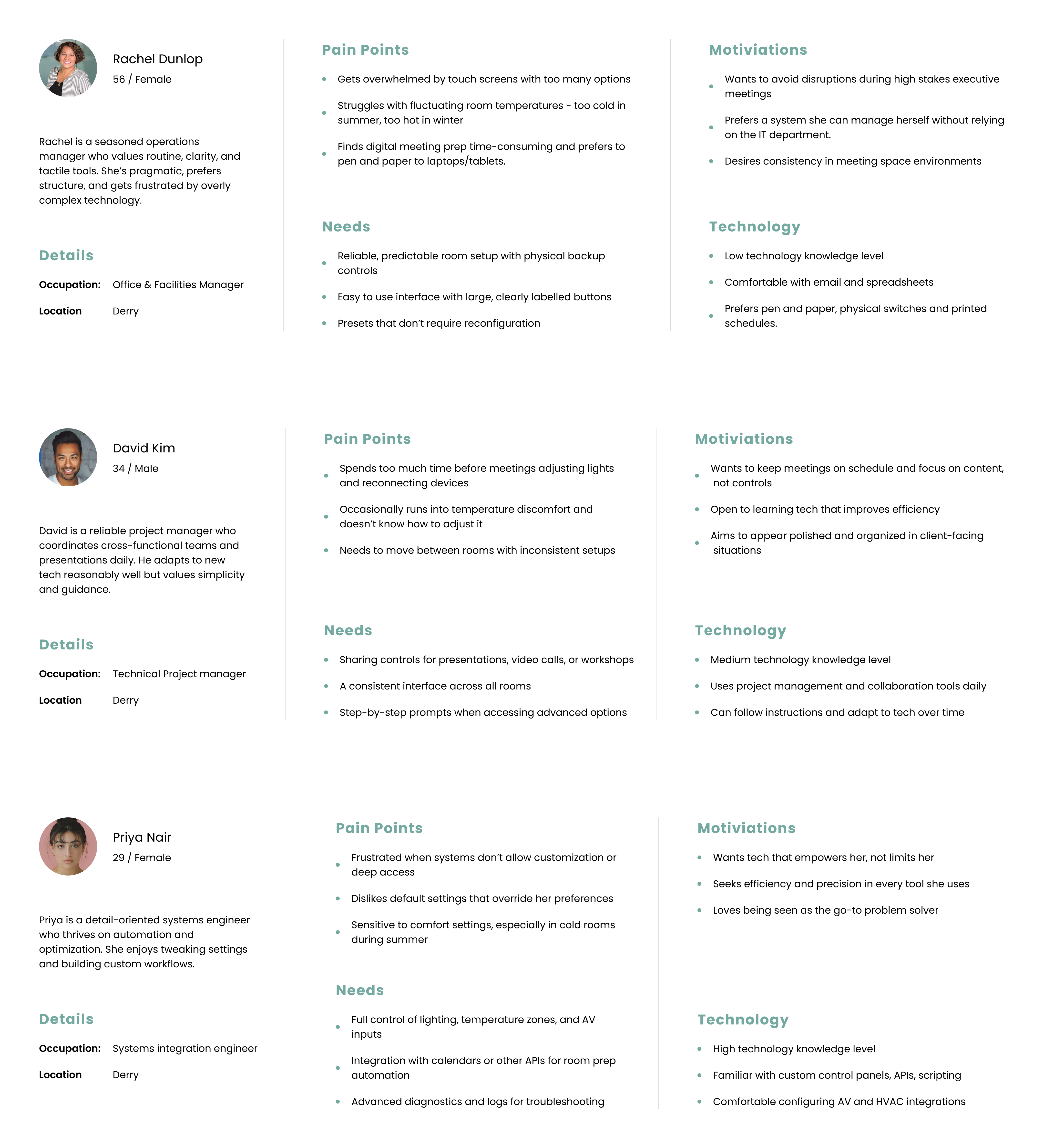
Task breakdown using the provided document. Personas generated using Chat-GPT then refined manually.

Define

Researched available conference room controls to determine what needed to be included in the interface.

Ideate

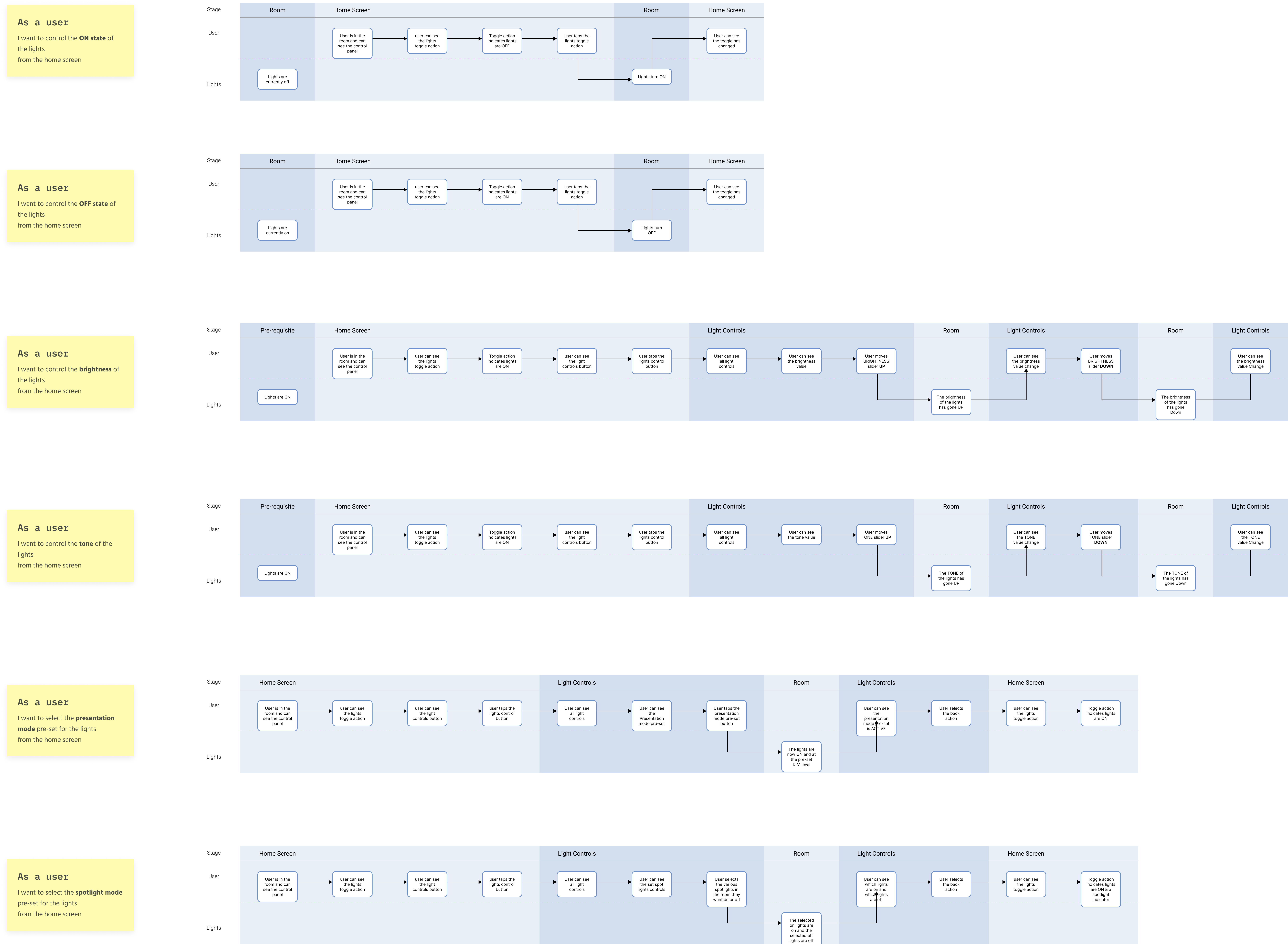
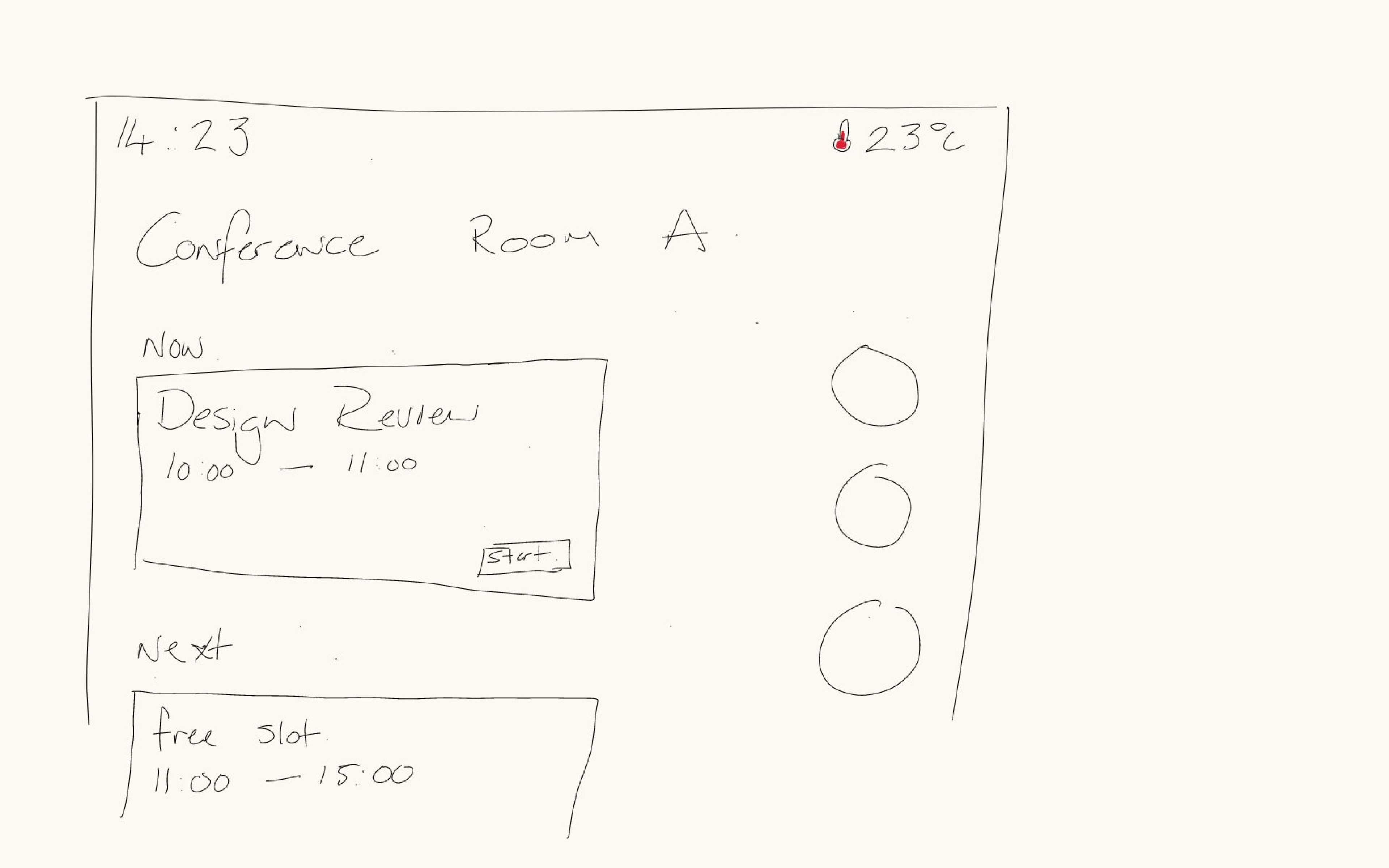
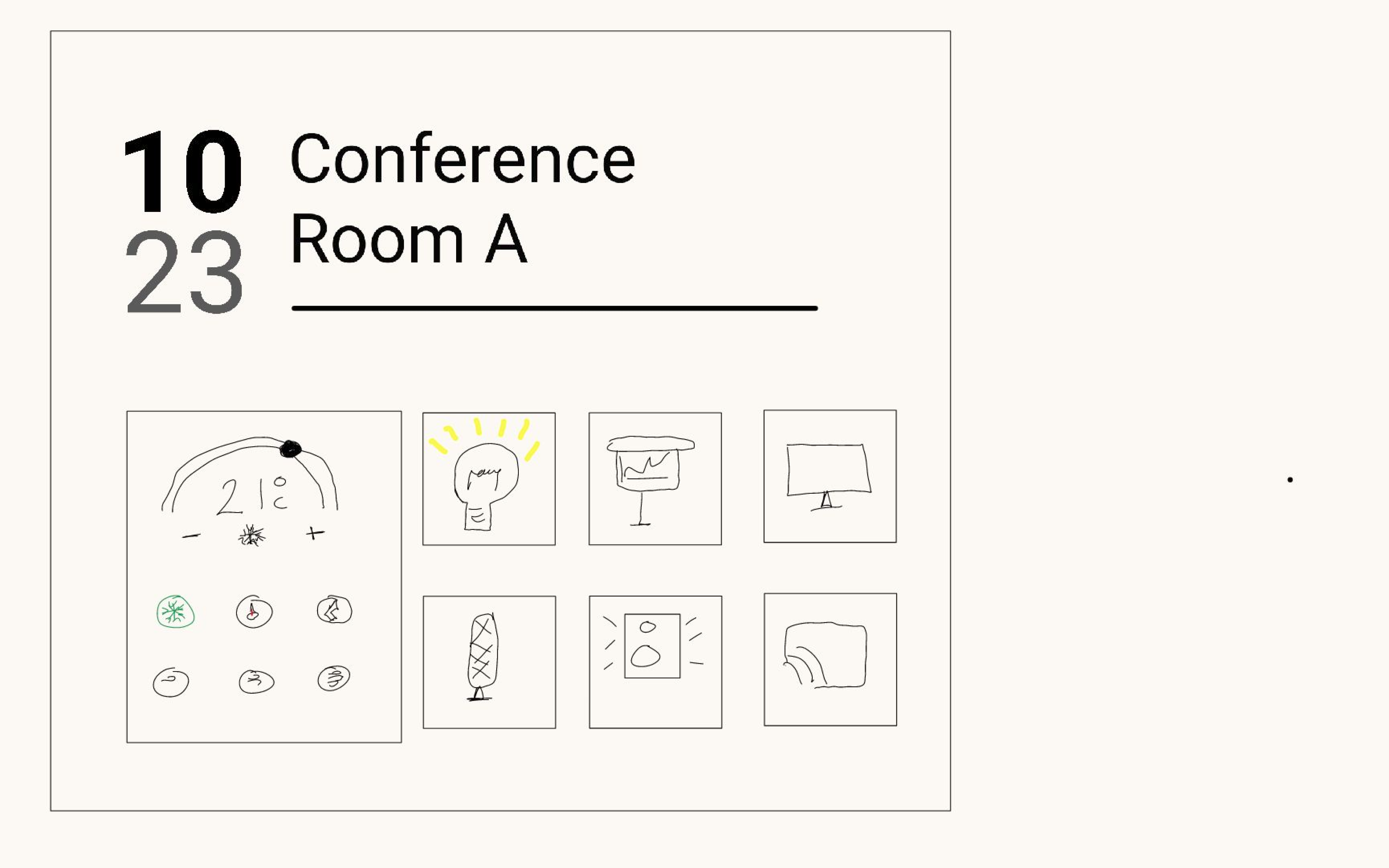
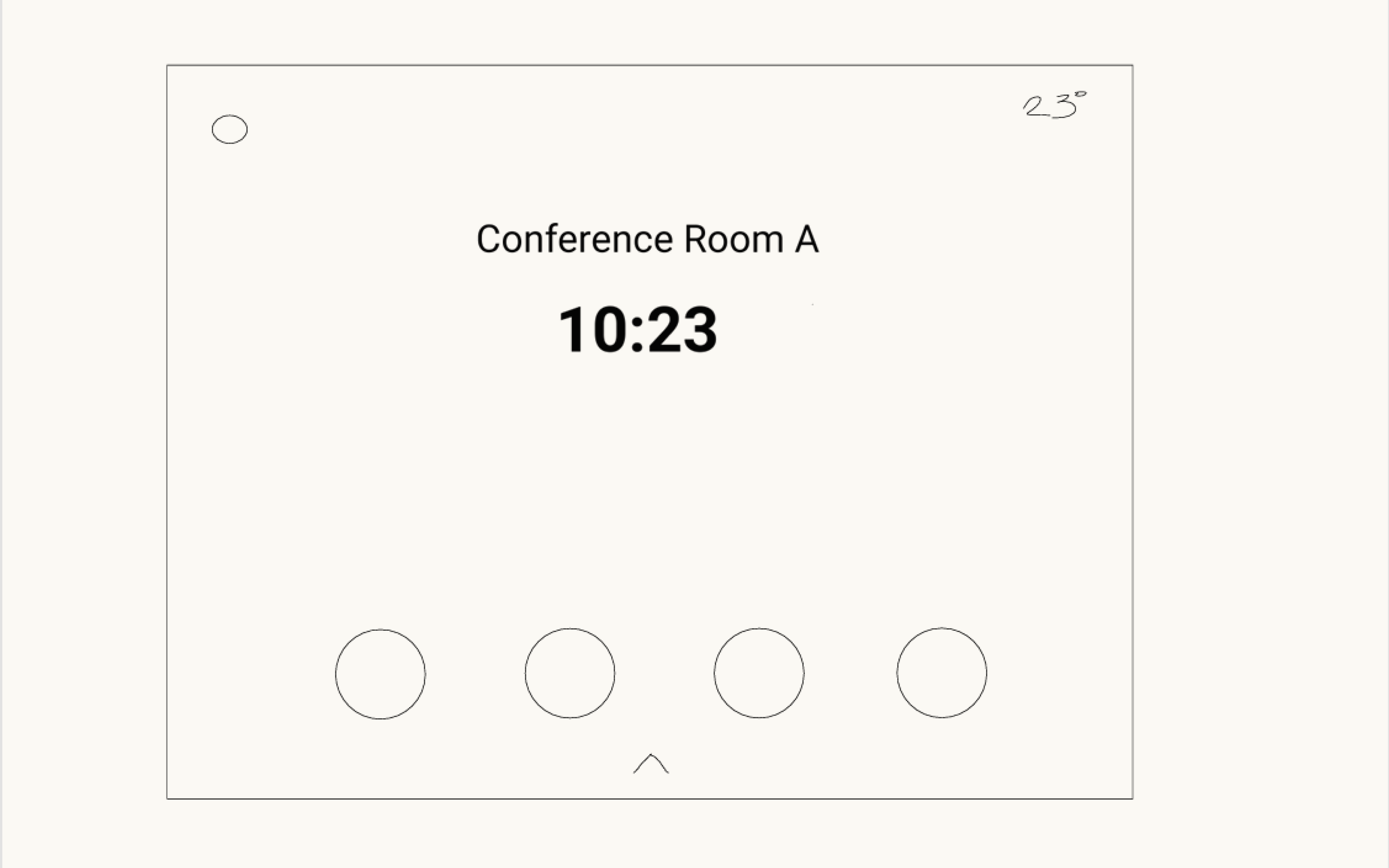
Mapped journey flows and created information architecture diagrams, followed by hand-drawn wireframes.

Prototype

Created multiple variations of Android-inspired navigation layouts based on likely conference room requirements.

Iterate

Designed an additional screen for the optional challenge: a tab-less version of the interface.

Discovery

Visual Design Approach

  • Designed for clarity and ease of use, ensuring an intuitive experience for conference room users.

  • Prioritised quick, one-tap access to essential room functions such as lighting, audio, and climate control.

  • Integrated purposeful iconography to enhance state awareness and reinforce user understanding of active or inactive controls.

  • Considered potential secondary use cases for the device, including meeting reminders and scheduling integration.

  • Explored multiple layout variations to provide flexibility across different room configurations and hardware setups.

  • Ensured full customisation and theming capabilities to align with company branding and environment aesthetics.

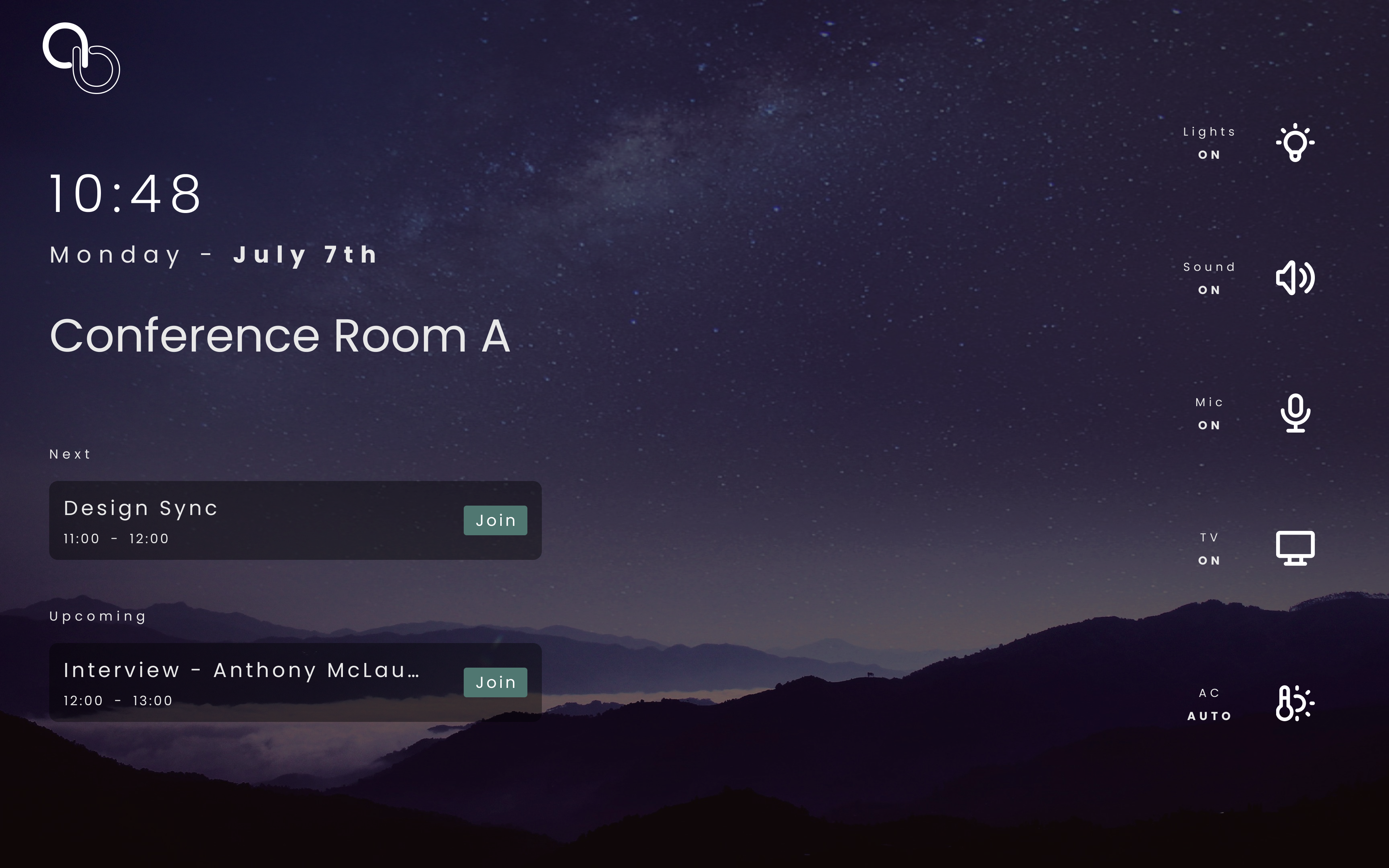
  • Overemphasis on meeting reminders and scheduling features, drawing focus away from core room control functionality.

  • Background visuals risk being visually distracting, particularly if animated or overly dynamic.

  • Fine-tune controls are difficult to locate, reducing discoverability and ease of adjustment.

  • Overall layout lacks visual balance, leading to inconsistent hierarchy and spatial rhythm.

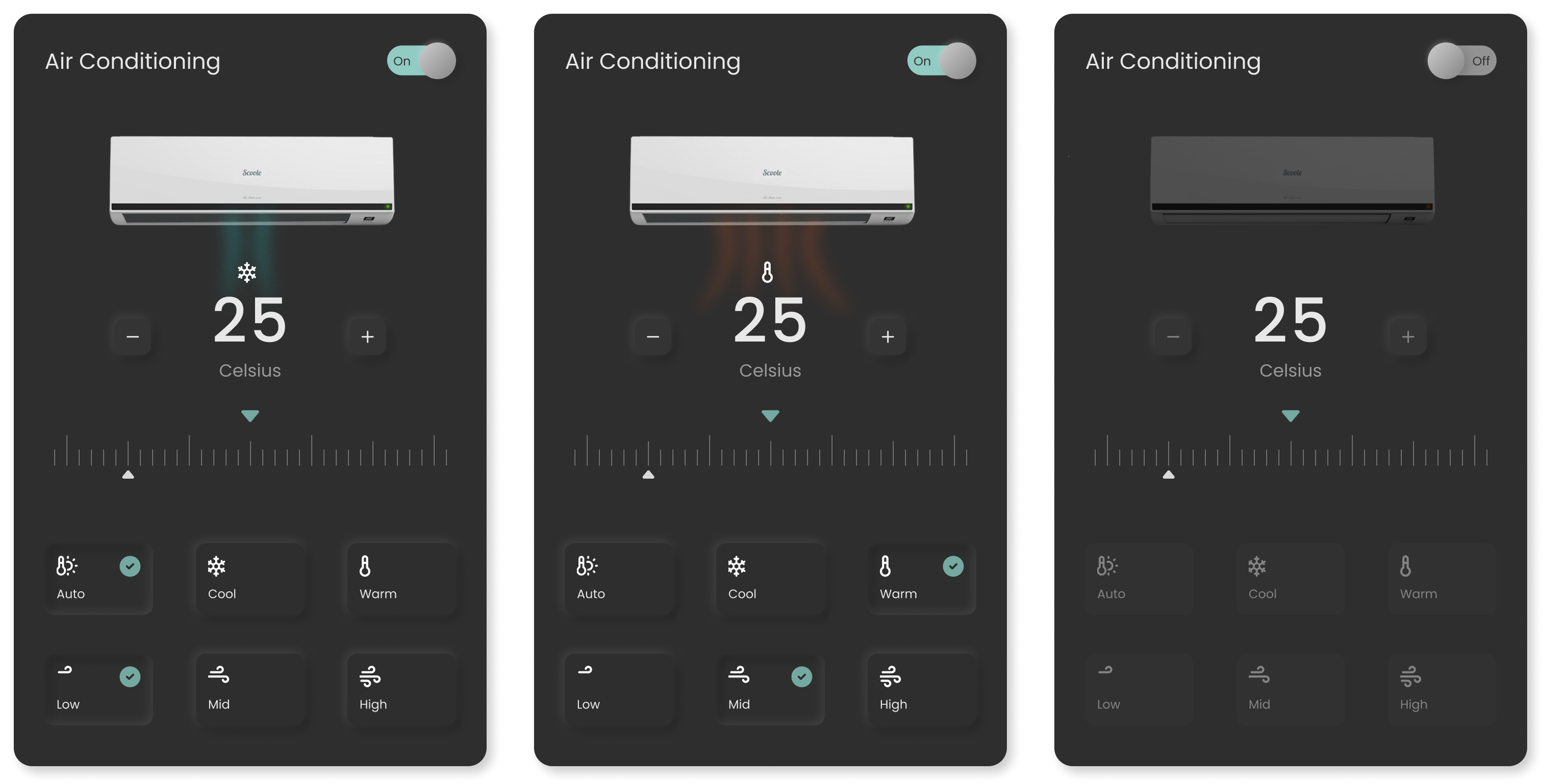
  • Insufficient state feedback for climate controls, reducing user confidence in adjustments.

Final Concept

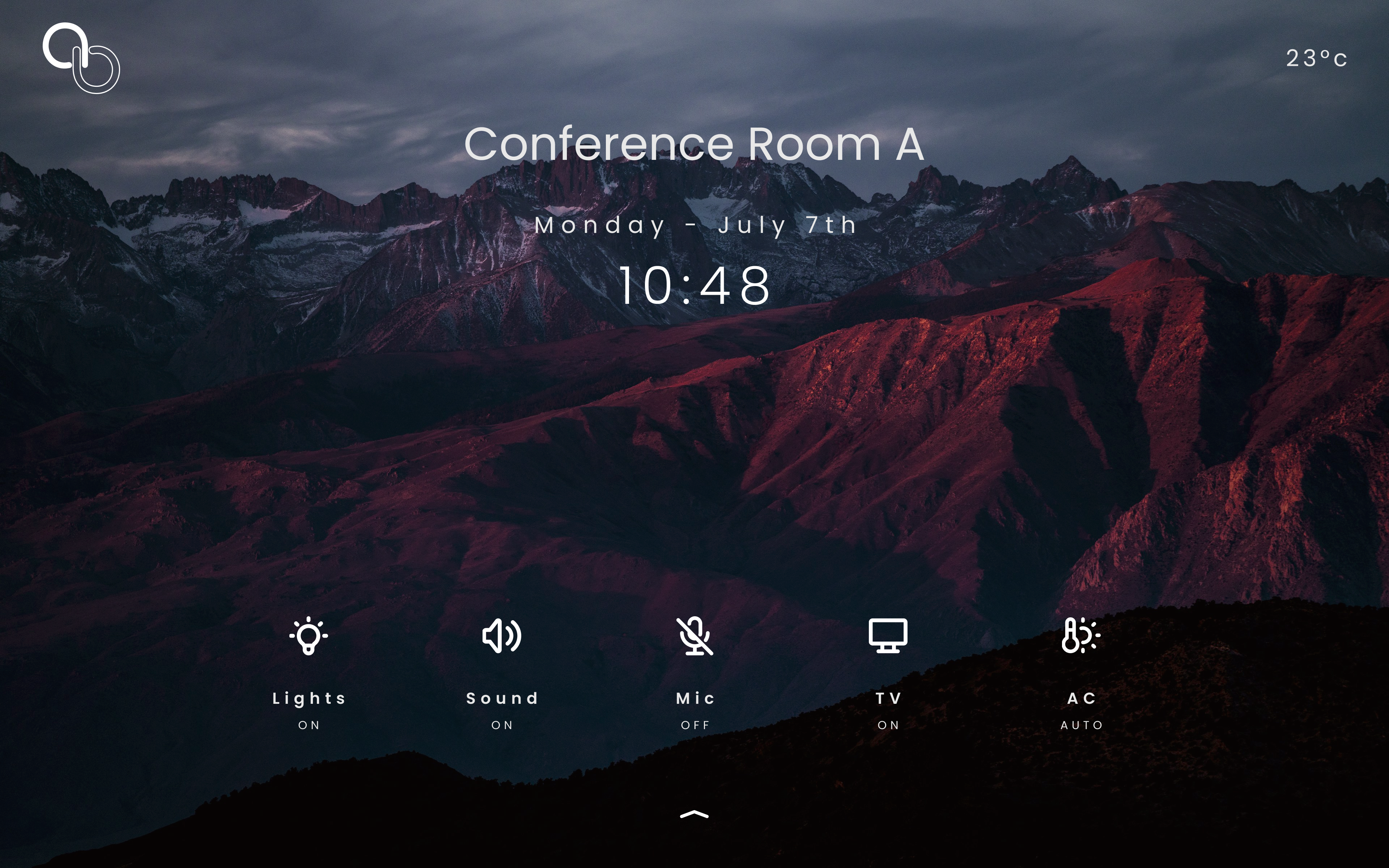
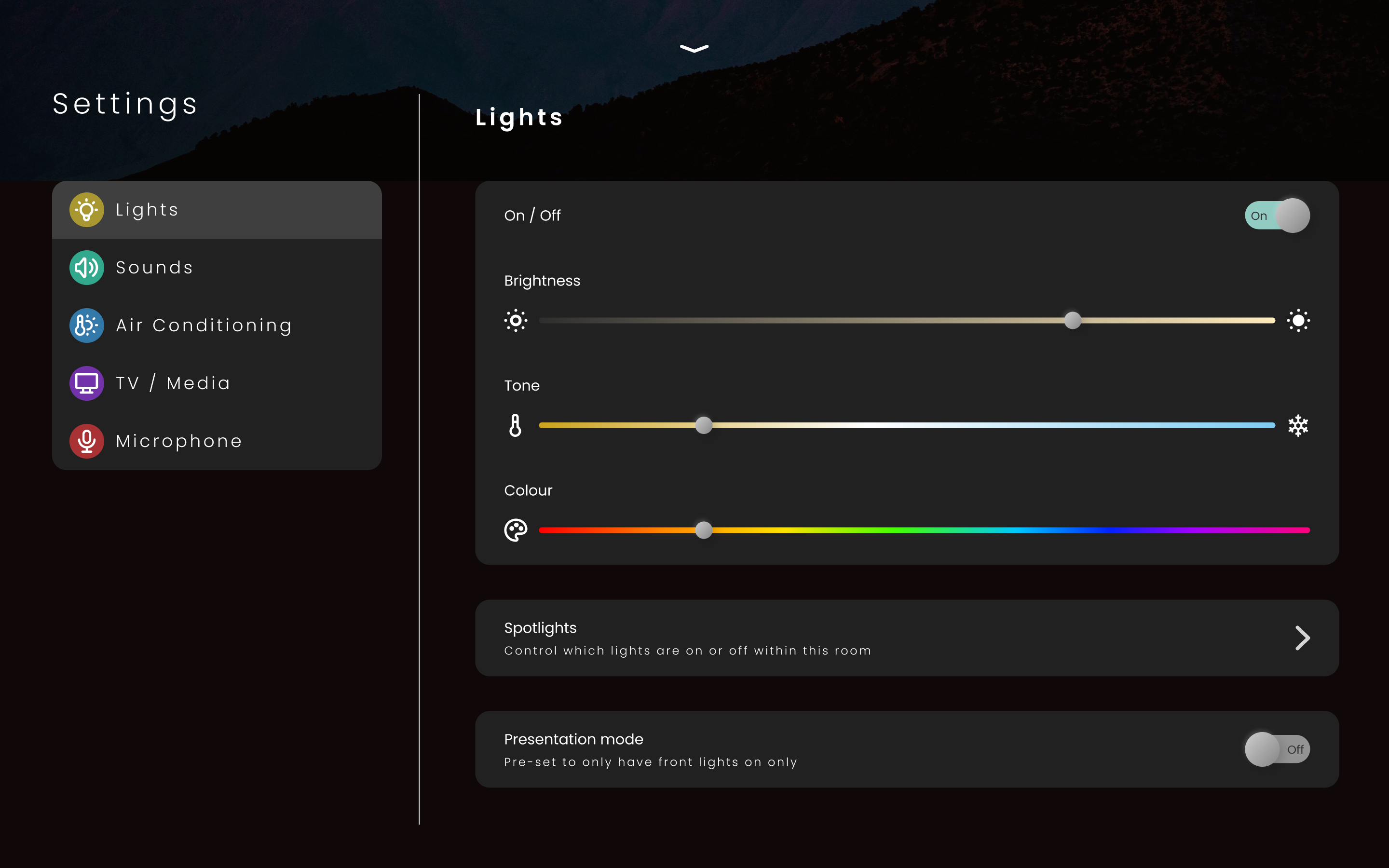
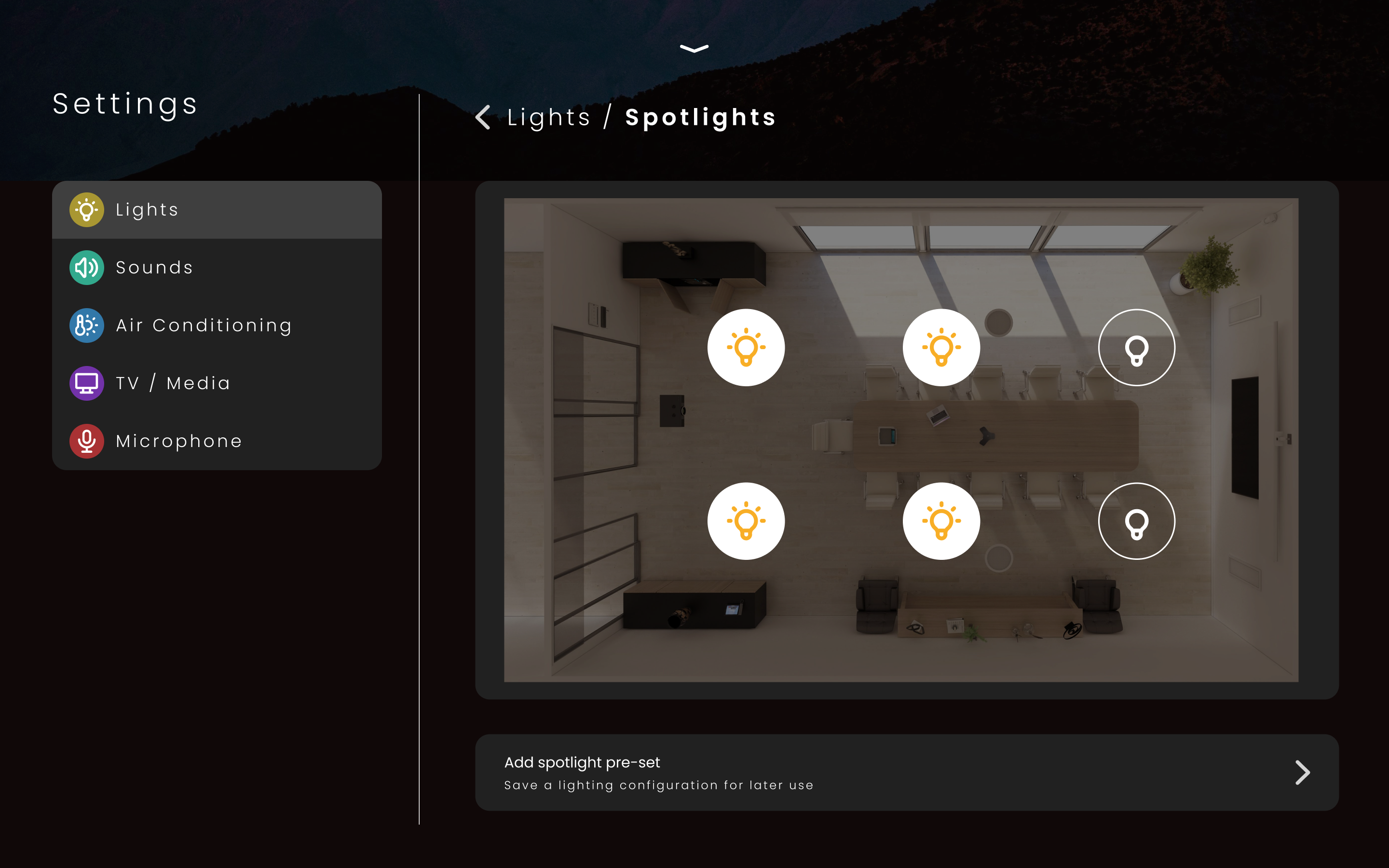
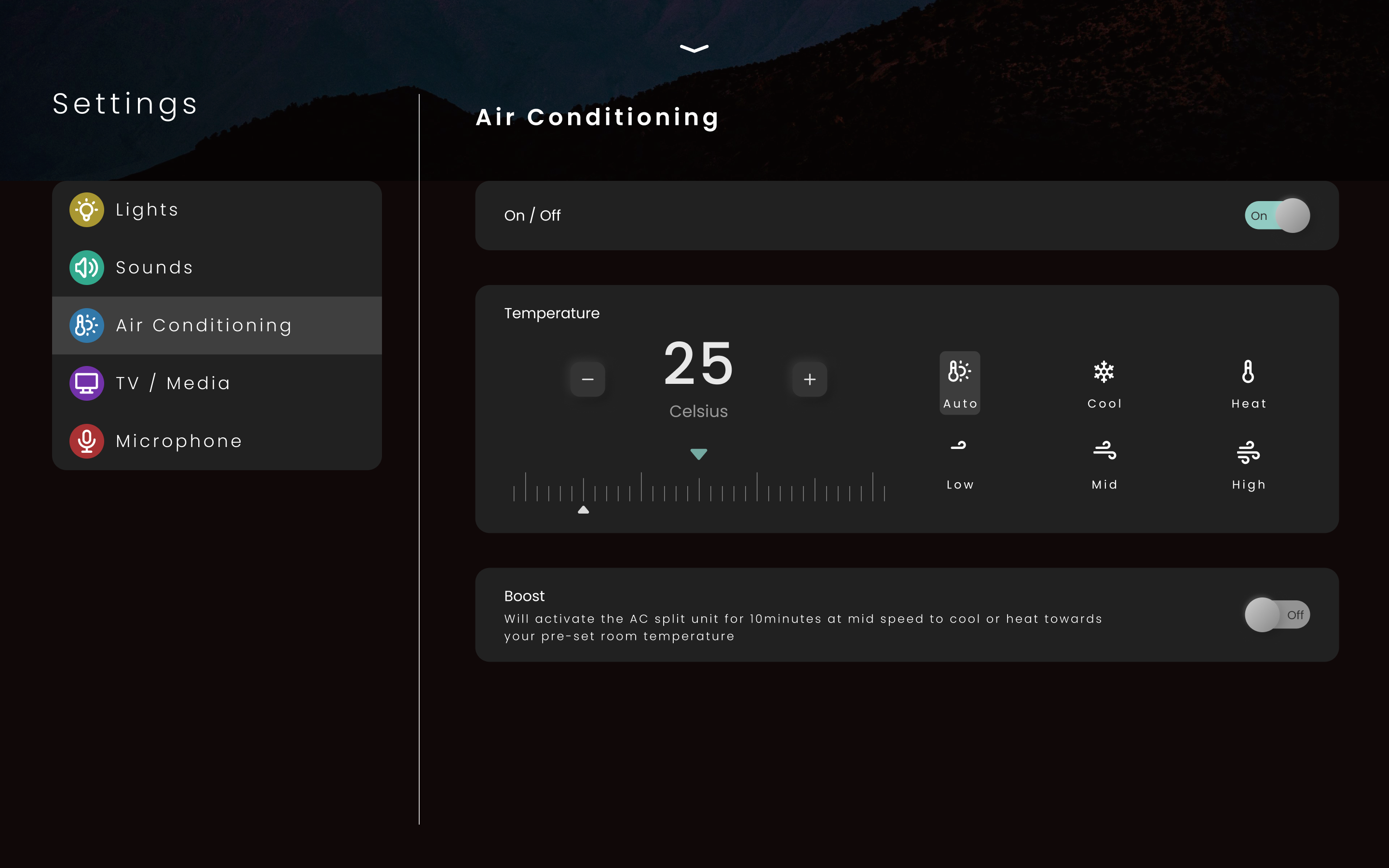
In the final concept submitted, I refined the layout to achieve a more balanced and visually stable composition. Placing the room controls along the horizontal axis created greater flexibility for future controls, offering more scalability than a vertically constrained layout. The room details—such as name, date, and time—were given improved prominence and hierarchy, making them easier for users to identify at a glance. Control label height was also increased to enhance readability, addressing earlier feedback that text appeared too small in previous iterations. The meeting scheduling feature was intentionally removed, as it was not part of the original brief; however, space remains available in the central area should this functionality be required in future iterations.
This is a mock up of how the LXP dashboard could look and operate. With the goal of not ultering much of the primary features and functionality.

Additional task - Tabless design

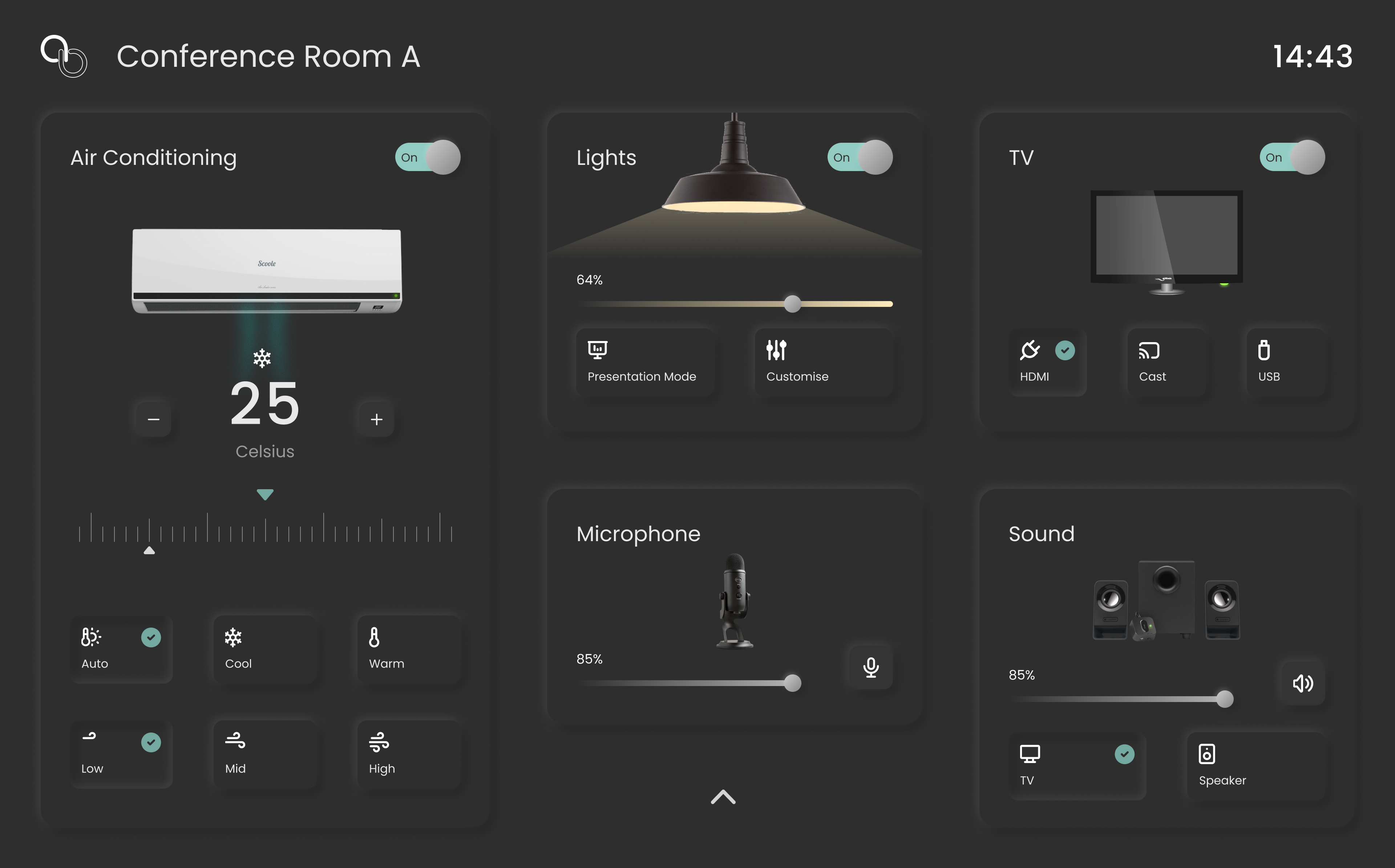
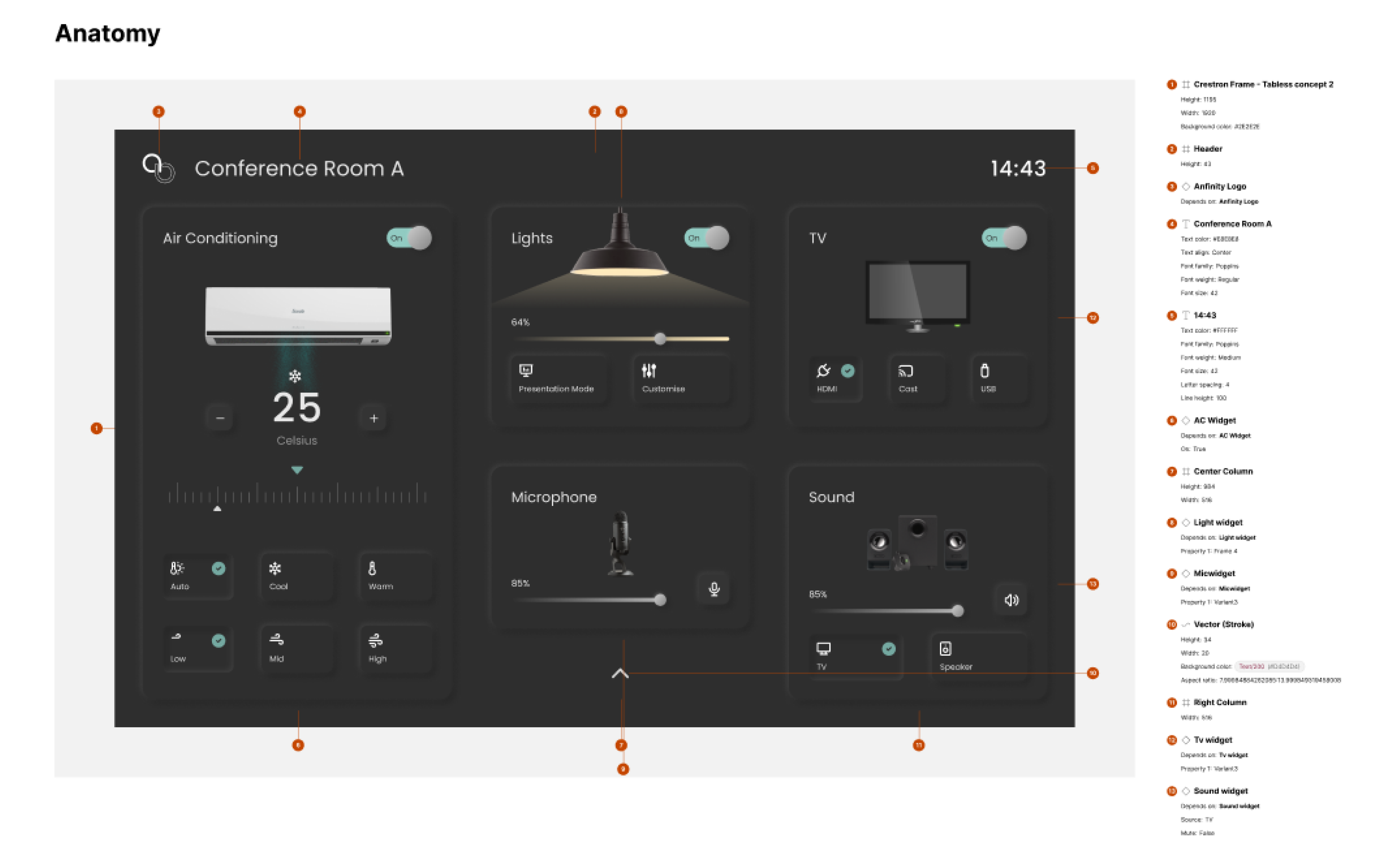
As part of the interview brief, an optional challenge invited designers to explore alternative navigation methods beyond standard tab-based interfaces. I chose to take on this additional task to challenge myself creatively and address usability concerns identified in the original concept. This led me to experiment with neomorphism for the first time an approach that offered a subtle sense of depth and tactility while maintaining simplicity and visual clarity. The goal was to create a more intuitive, gesture-driven interface that reduced visual clutter and improved state awareness across controls. The following points outline the key visual design considerations and principles applied in this additional concept.

  • Emphasised clarity and simplicity to ensure intuitive control of conference room systems.

  • Applied a clean, minimal visual language to clearly communicate system states and feedback.

  • Explored a subtle use of neomorphism to create visual depth and tactile feedback while maintaining accessibility and contrast standards.

  • Incorporated large, accessible touch targets to support precision and inclusivity across user types.

  • Minimised visual noise by reducing unnecessary imagery and interface clutter.

  • Selected a balanced colour palette, avoiding overly bright or saturated tones to reduce eye strain and prevent screen burn-in.

This is a mock up of how the LXP dashboard could look and operate. With the goal of not ultering much of the primary features and functionality.

Tab-less concept

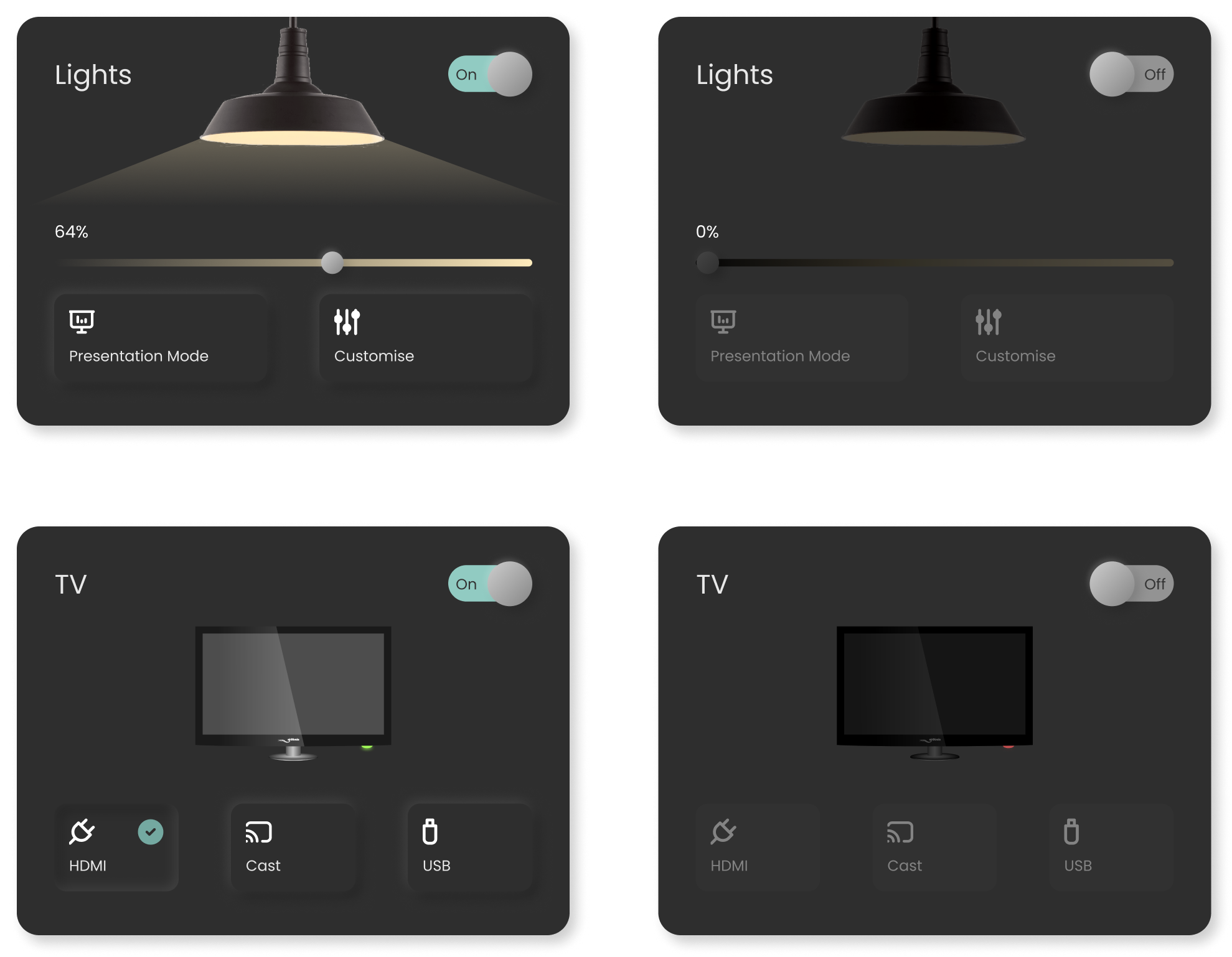
For the additional task, I explored a new visual direction by incorporating neomorphism for the first time. This approach aimed to create clear visual separation between different groups of room controls while maintaining a cohesive and tactile interface. The use of soft depth and subtle lighting was also a deliberate choice to minimise the risk of screen burn-in on the Crestron TS-1070, ensuring long-term display durability without sacrificing visual appeal. By combining soft shadows, layered surfaces, and lighting cues, the design provides users with an immediate sense of hierarchy and interactivity. Rich graphical representations were introduced to visually distinguish each room feature, while subtle animations and contextual visual feedback communicate active states and transitions in a natural, intuitive way. This combination of visual depth and responsive behaviour helps users understand system status at a glance, without overwhelming the interface.

What I Would Do Differently

  • Conduct more in-depth research, including customer interviews and contextual inquiries, to better understand real user needs.

  • Spend additional time interacting with actual conference room systems to gain first-hand insight into existing control pain points.

  • Collaborate more closely with peers and stakeholders to align design decisions with technical and business requirements.

  • Re-evaluate the tab-less design aesthetic to improve spatial efficiency and content hierarchy.

  • Introduce usability testing earlier in the process to validate assumptions and iterate based on user feedback.

  • Enhance component robustness to better support dynamic state changes, transitions, and visual feedback animations.

Interested in working together?

I'm always excited to take on new challenges and collaborate on meaningful projects. Let's discuss how we can create something amazing together.